Dashboard (GUI)#
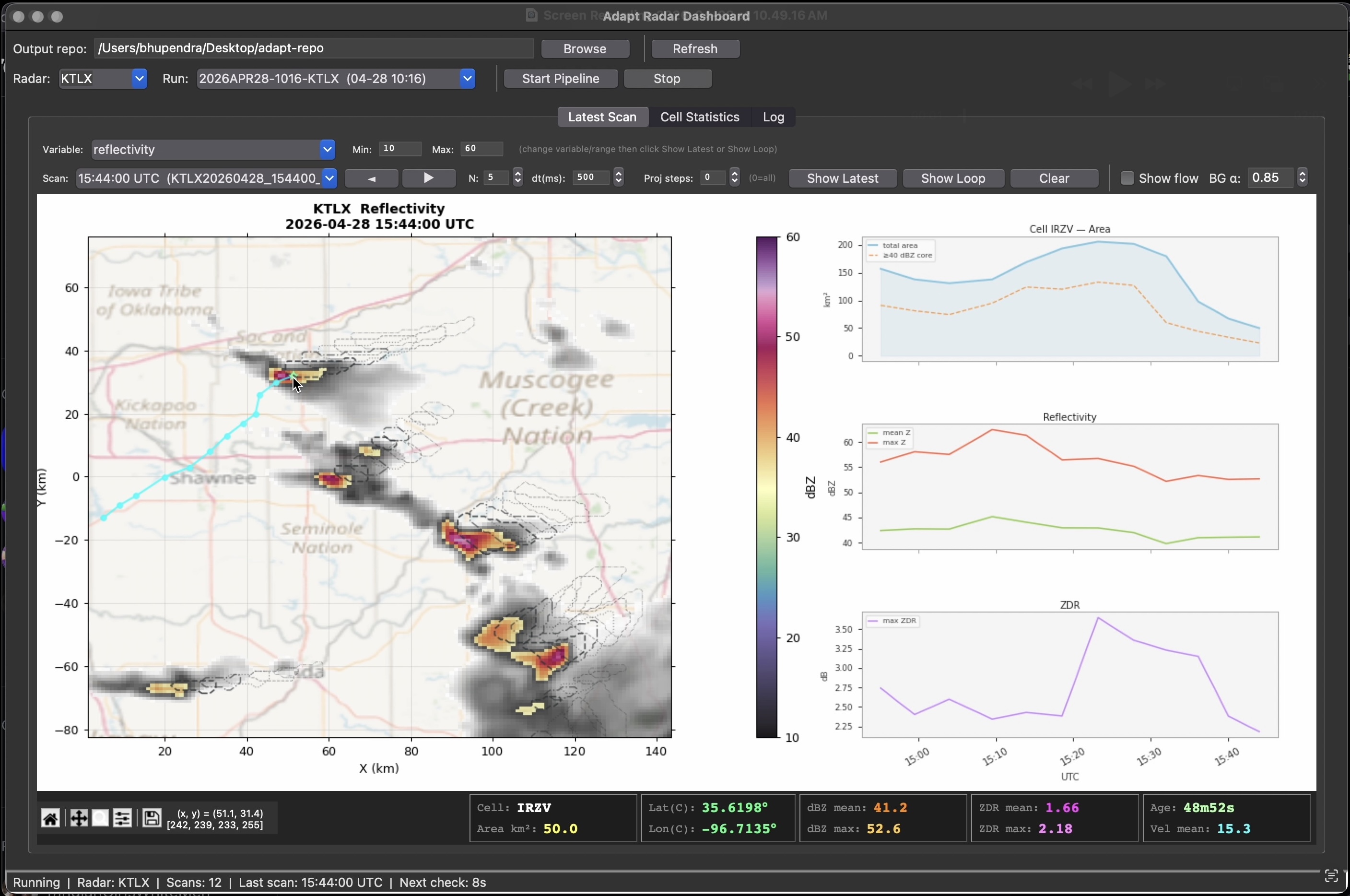
Adapt Radar Dashboard — A Very basic Tkinter GUI for exploring pipeline outputs in realtime.
Entry point: adapt dashboard [–repo /path/to/repo]
Layout#
Toolbar: repo browser, collection/run selection, refresh, pipeline start/stop
- Tab 0 “Latest Scan”: matplotlib canvas (left) + cell-info panel (right)
quick-filter strip (bottom)
Tab 1 “Target Selection”: rule builder + live engine replay on a reflectivity map
Tab 2 “Log”: pipeline stdout
Single-instance note#
Only one adapt run-nexrad is allowed at a time (enforced by PID file). The dashboard is a pure consumer — it reads from the repository and does not need a running pipeline. The Start/Stop buttons are provided for convenience.
- class adapt.consumers.live.dashboard.AdaptDashboard(repo=None)#
Bases:
Tk- Parameters:
repo (str | None)
- report_callback_exception(exc_type, exc, tb)#
Errors in direct Tk handlers (shortcuts, comboboxes, menus) surface to the user instead of dying invisibly on stderr — the identity contract’s loud failures must reach the person at the screen.
- adapt.consumers.live.dashboard.main(repo=None)#
Launch the Adapt Dashboard.
- Parameters:
repo (
str|None) – Repository path to preload